
Booking Q4 2026Start a project
Full-stack retail operations platform for a UK luxury jewellery business — replacing fragmented spreadsheets, disconnected tools, and manual processes with a single intelligent system.
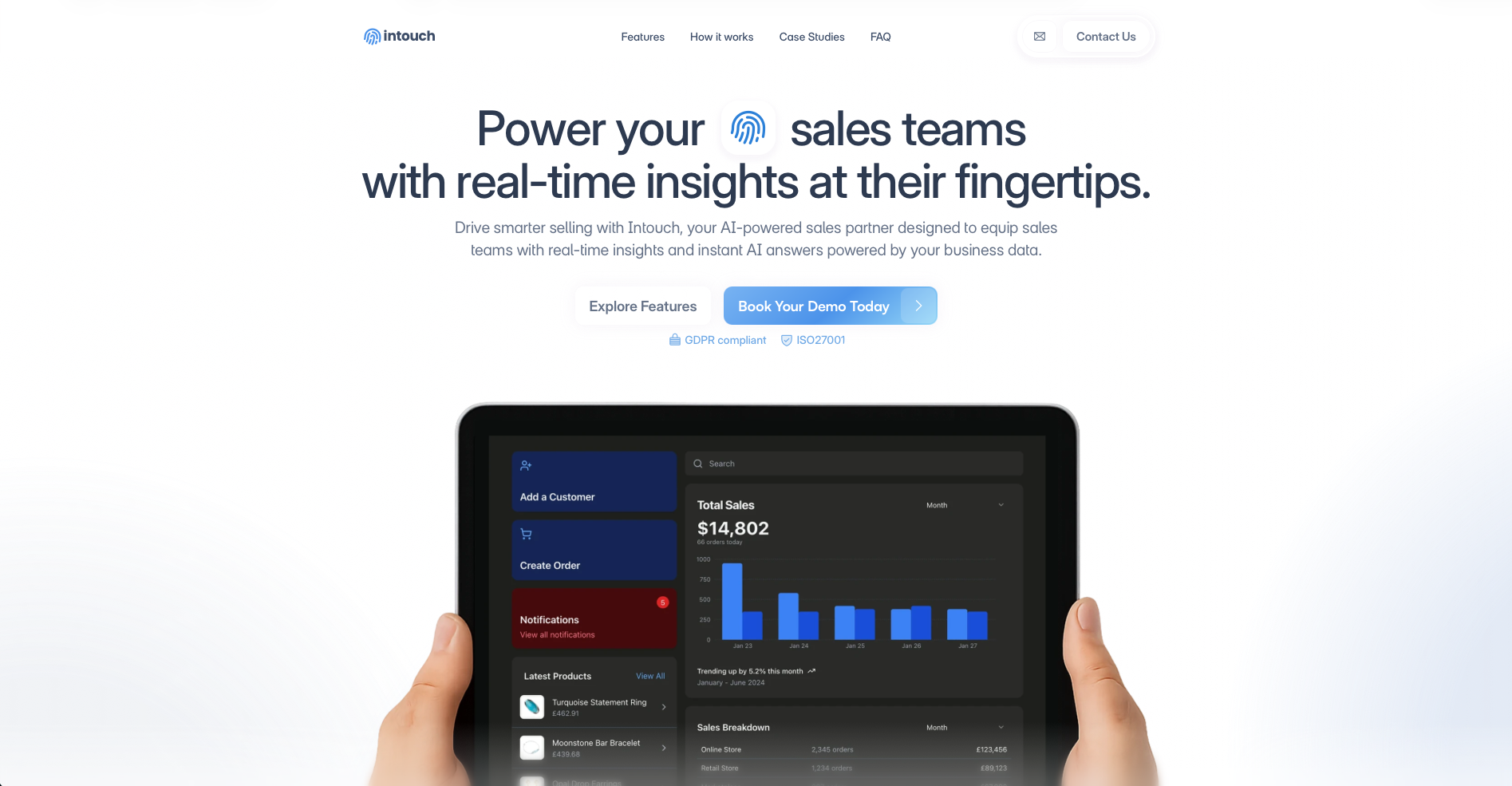
Luxury jewellery retail runs on relationships, precision, and trust. But behind the counter, operations at Intouch were held together by disconnected systems — Shopify for e-commerce, spreadsheets for inventory tracking, manual notebooks for repairs, and no unified view of who their customers were or what they'd bought.
Staff couldn't answer basic questions without switching between three tools. Marketing campaigns meant exporting CSVs to third-party platforms. Physical inventory counts took entire days with no way to reconcile against digital records. And when a customer called about a repair, the answer was “let me check and call you back.”
The platform needed to:
Off-the-shelf retail platforms couldn't deliver. Generic CRMs lack the domain-specific features — repair lifecycle management, consignment tracking, buying-in slips. Jewellery-specific solutions are dated, inflexible, and don't support AI or RFID. Intouch needed a purpose-built platform built around their specific operations.
The most common question from staff was some variation of “Who is our best customer?” or “What's our most popular product type?” Traditional dashboards require knowing where to click. We built something better — a conversational interface where staff ask questions in plain English and get answers instantly.
The AI query pipeline works in stages:
Natural language to SQL
The user's question is sent to Google Gemini 2.0 Flash along with a complete schema description. Gemini generates a valid PostgreSQL query — SELECT only, never write operations. The query is validated server-side before execution.
SQL results to natural language
The raw query results are passed through a second Gemini call with formatting instructions tuned to the query type. Customer spending queries get one format. Product recommendations get another. Gift suggestions trigger a clarifying question flow.
Conversation persistence
Every exchange is stored with full metadata — the generated SQL, raw results, and formatted response. Follow-up questions have context. Ask “Who's our top spender?” then “Show me their purchase history” — the system knows who “their” refers to.
Fallback intelligence
When Gemini generates invalid SQL, the system falls back to hand-crafted queries for common patterns — loyalty analysis, product searches, spending breakdowns — rather than returning an error.
Dynamic data visualisation
When the data warrants it, the pipeline generates a visualisation config that specifies chart type, axis mappings, and value formatting. The frontend renders interactive charts inline in the chat. Ask “Show me sales by product type” and you get a pie chart, not a paragraph.
No dashboards to learn — just ask a question.
Retail operations are full of repetitive sequences — send a follow-up email 3 days after a repair is completed, notify the manager when a high-value item needs approval, trigger a marketing campaign when inventory drops. Rather than hard-coding these, we built a drag-and-drop workflow builder.
The builder is powered by React Flow, giving users a canvas to compose automation visually:
Trigger nodes
Define what starts the workflow (e.g. “repair status changes to complete”)
Condition nodes
Add branching logic (e.g. “if repair cost > £500”)
Action nodes
Define what happens (e.g. “send email via Resend”, “wait 3 days”, “notify manager”)
AI copilot
Describe what you want in plain English, and Anthropic Claude generates the workflow configuration
The workflow execution engine handles the runtime. An event trigger map covers 20+ domain events. When any API endpoint creates or updates an entity, the engine finds all active workflows with a matching trigger and fires them asynchronously. Steps execute sequentially with context chaining — each step's output feeds into the next via template variables that resolve at execution time.
20+ action handlers cover the full operational surface — send email, create customer, update repair status, add tags, send webhooks, and more. Workflow runs are fire-and-forget — the originating API call returns immediately.
Describe the automation in English — Claude builds the workflow.
A retail platform can't go down during peak hours. The caching layer was designed with a hard constraint: Redis being unavailable must never cause an error visible to users.
Upstash Redis provides the caching and rate-limiting infrastructure, but every cache operation is wrapped in a graceful degradation pattern:
Cache-aside reads
Check Redis first. On a hit, return cached data. On a miss, query Supabase, return the result, and backfill the cache asynchronously — the user doesn't wait for the cache write.
Tiered TTLs
Volatile data like active orders caches for 60 seconds. Semi-static data like product catalogues caches for 30 minutes. Reference data caches for 24 hours. Each domain has a tuned expiry.
Sliding-window rate limiting
Login attempts, API calls, and sensitive operations are rate-limited using Redis sorted sets. If Redis is down, rate limiting is bypassed — availability over protection.
Pattern-based invalidation
When a product is updated, all product-related cache keys are cleared by prefix. No stale data, no manual key tracking.
Marketing in luxury retail is personal. Blast emails don't work when your customers expect to be known. The outreach system implements a segment-then-campaign pattern that lets the team target precisely.
Audiences are dynamic customer segments defined by 26+ filter types stored as JSONB — spending thresholds, purchase recency, product preferences, loyalty status, location, tags, and more. Filters are composable: combine any number of criteria to build a segment. Member counts are cached and refreshed on filter changes.
Campaigns target an audience with email content that can be AI-generated. The outreach pipeline covers campaign creation, audience selection, optional AI content generation based on audience characteristics, sending via Resend with per-recipient tracking, and real-time analytics for opens, clicks, and unsubscribes.
Physical inventory counts in a jewellery store are high-stakes — every item is valuable, and discrepancies matter. Manual counts took the team an entire day and were prone to human error. RFID scanning reduces this to minutes.
The platform integrates with SimpleRFID through a purpose-built sync layer:
Product sync queue
When a product is created or updated, it's added to a sync queue with a “pending” status. Product creation never blocks on sync success — the queue decouples the two systems.
Cron-based processing
A Vercel Cron job runs every 5 minutes, picks up pending items, and pushes them to the SimpleRFID API. Failed syncs are retried up to 5 times with the failure reason logged.
Token management
SimpleRFID uses OAuth with expiring tokens. A dedicated token manager handles authentication, automatic refresh, and token caching — the sync layer never deals with auth directly.
Scan comparison
The RFID page lets staff trigger a scan, then compares what was physically scanned against what the database says should be present. Discrepancies are surfaced immediately — missing items, unexpected items, items in the wrong location.
The key architectural decision was making the sync queue resilient to failures. A SimpleRFID outage doesn't affect product creation. The queue drains when the service recovers. Product data is the source of truth; RFID is a downstream consumer.
A luxury jewellery store needs polished documents — repair tickets, invoices, buying-in slips, cash receipts. And the till needs to print receipts without a desktop printer driver.
Server-side PDF generation uses @react-pdf/renderer to produce repair tickets with item details and cost breakdowns, sales invoices with line items and totals, jewellery and watch buying-in slips with valuation details, and cash slips for safe transactions.
Thermal receipt printing runs on a dedicated Node.js print server that speaks the ESC/POS protocol directly. The web app sends print jobs via HTTP; the print server translates them to thermal printer commands. This bridges the gap between a cloud-hosted PWA and physical retail hardware on the local network.
Rather than building static dashboards that answer predetermined questions, the AI pipeline lets staff ask anything about their data in natural language. Gemini generates SQL, executes it, and formats the response — all in under 2 seconds. No feature requests for "add this metric to the dashboard." The data is already accessible.
Ask business questions in plain English — AI generates SQL, executes it, and returns formatted answers with charts
Scan physical inventory with RFID hardware and reconcile against database records in minutes
Drag-and-drop automation with AI copilot that generates workflows from natural language
Full profiles with purchase history, interaction timelines, preferences, tags, and wishlists
26+ filter types for dynamic customer segments with cached member counts
AI-generated content, per-recipient tracking, open/click analytics, automated unsubscribe
End-to-end tracking from intake to completion with automated customer notifications
Bidirectional product and customer sync with webhook-driven updates
Repair tickets, invoices, buying-in slips, and cash receipts rendered server-side
ESC/POS print server bridges the cloud PWA to local receipt printers
Cache-aside pattern with tiered TTLs, pattern invalidation, and graceful degradation
Full Progressive Web App — installable on tablets, desktops, and phones with instant updates
Whether you need AI-powered business intelligence, real-time inventory management, or a system that replaces five tools with one — we'd love to talk.
Start a project